

Michal Matuška is a web performance consultant at PageSpeed.ONE. He’s a passionate explorer of deep and for some, challenging topics. A specialist in browser internals, JavaScript frameworks, and GTM debugging.
Last year, in the article “5 tips to effectively optimize INP in React,” we focused on what developers often underestimate when optimizing React.
React is not automatically fast, and long JavaScript tasks can arise from perfectly common constructs. A larger DOM and more components mean more work during hydration and a slower UI during interaction. In practice, this often means that even relatively simple user actions can take hundreds of milliseconds, causing the INP metric to soar.
The release of React 19.2 brought new features that give developers new tools to understand what is happening inside React. It now allows for better control over when and how the application overloads the browser’s main thread.
Let’s explore two key new features in more detail.
The New Component <Activity />
This new feature responds to a problem developers have been addressing for a long time: how to effectively hide parts of the UI without losing their state, while also not burdening the browser with a full React render every time the component is hidden.
// Either we have lost the state of the component due to a condition
{isVisible && <Sidebar />}
// Or we unnecessarily rendered an invisible component
<div style={{display: isVisible ? '' : 'none'}}>
  <Sidebar />
</div>
The <Activity> component solves exactly these situations. Using the mode parameter, it switches whether the component is visible or not, and it manages the rendering cycle as you would expect. The mode parameter currently has two settings: hidden and visible, and React adjusts how it handles them accordingly.
State Preservation and Low-Priority Rendering
When a component transitions to mode="hidden", React does not unmount it from the DOM. Instead, it visually hides it, display:none is applied to the wrapper element. This offers two huge benefits:
- Preservation of Local State: All component state (
useState,useReducer) and context remain in memory and are immediately restored as soon as it switches back to visible. - Preservation of DOM State: The state of elements like text in
<input>fields, scroll position, or the selected tab is preserved because their DOM nodes were not destroyed.
Another benefit is that even though the component remains mounted, React conceptually considers it unmounted and removes all useEffect hooks. This ensures that hidden parts of the UI do not receive data, start timers, etc. This radically reduces system and memory load.
// Sidebar is hidden, preserves state, low-priority update
<Activity mode="hidden">
  <Sidebar />
</Activity>
// Sidebar is visible, updates like a regular component
<Activity mode="visible">
  <Sidebar />
</Activity>
Components inside Activity can still re-render if data from their parent changes (props). However, React performs these updates with the lowest priority. Updates to hidden content only happen when there is no critical work (e.g., user interaction) available on the visible part of the page.
Pre-rendering
Content wrapped in <Activity> is prepared for the user during hydration, protecting the user from UI freezing.
This significantly speeds up navigation, tab switching, and other UI displays because React does not have to render the entire content for the first time only when the user first activates it.
Selective Hydration Support
Similar to <Suspense>, <Activity> divides the component tree into independent units, allowing React to selectively hydrate parts of the application. The aforementioned pre-rendering thus occurs with lower priority. React breaks down the work into individual pieces this way. This concept is an absolute miracle for performance.
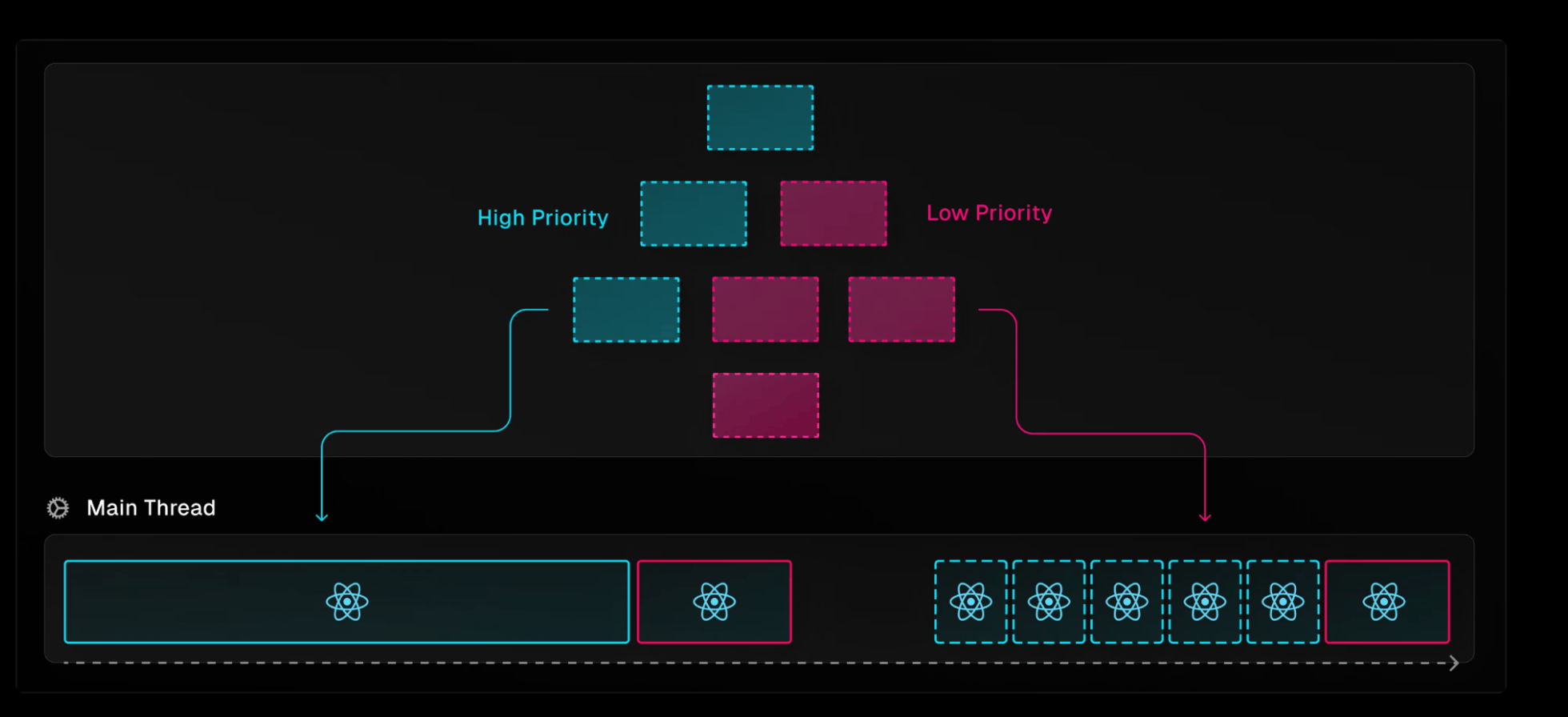
Component tree divided by priority. Red components are marked as less important.
Interestingly, <Activity> can also be used without the mode parameter, just to enable selective hydration.
A Note on SSR
React does not insert hidden Activity components into the HTML at all during server-side rendering (SSR). Be very careful about this, as it can have negative consequences for SEO. For example, hiding a mega-menu in this way can affect the indexing of your subpages, which you definitely don’t want. Conversely, it is suitable for various login modals, filtering, etc.
The React team will likely add more options to the mode property in the future, thus covering our SEO needs.
Performance Tracks in Chrome DevTools
The second major new feature in React 19.2 is Performance Tracks in Chrome DevTools. And while Activity helps control what should happen, Performance Tracks help understand why it is happening.
Until now, we had to use two tools simultaneously for performance debugging: React Devtools and the Performance Timeline. Anyone who has tried this knows that extracting valuable information from it was a superhuman task.
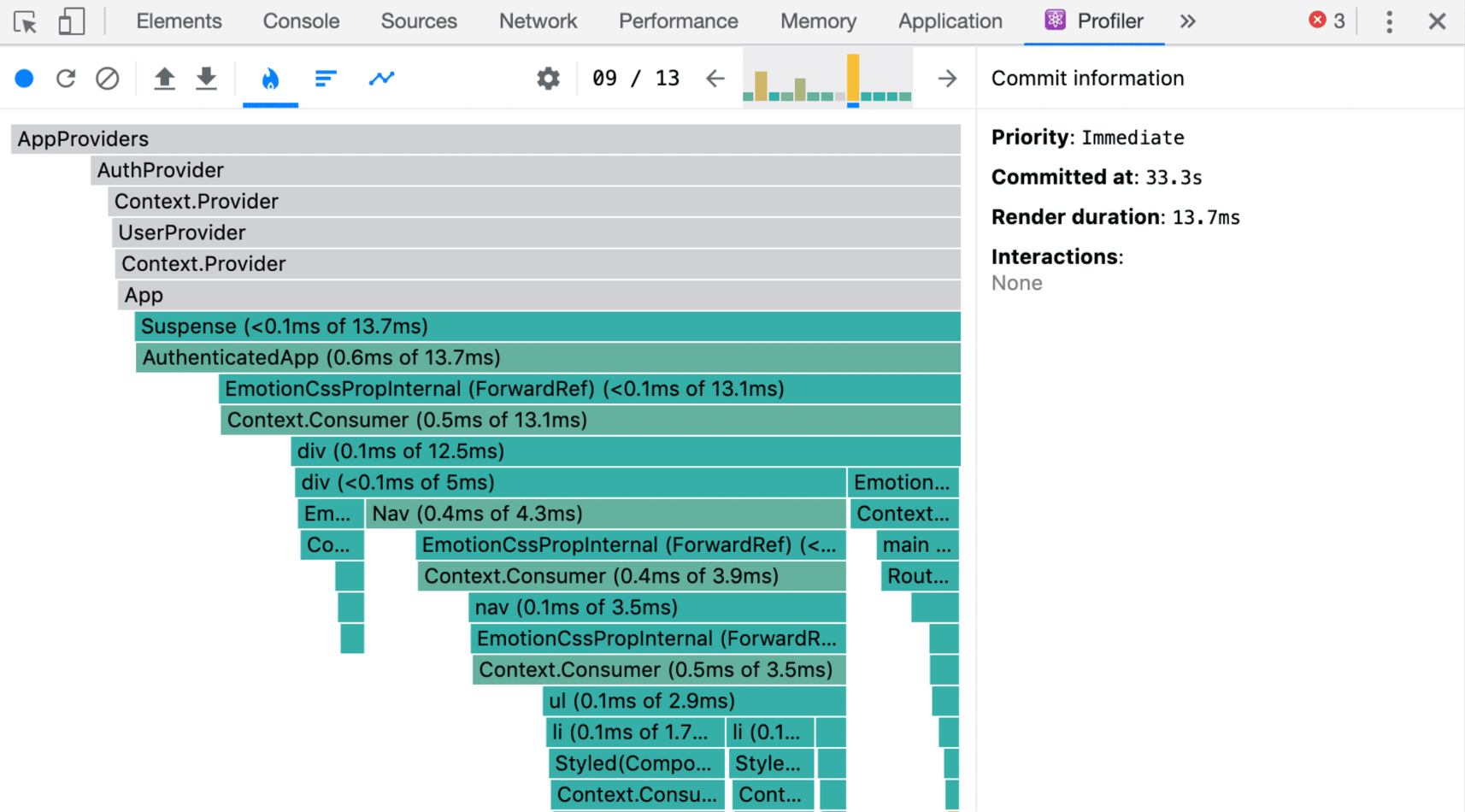
Now, everything is visible together on a single timeline. React events, metrics, network requests, running JavaScript, and event loop activity. All of this is divided into clear, separate sub-panels—tracks.
Scheduler Track
This shows what React is currently working on, what its priorities are, how it divides the rendering cycle phases (Update, Render, Commit, Remaining Effects), and how long they take. It helps in understanding how React works, which is crucial for INP optimization.

Pay close attention to Cascading updates. If a component triggers an update of something else during a render, React must discard part of the work and start over, making them a clear performance killer.
Components Track
Most React performance problems arise not because a component is “slow,” but because it renders much more frequently than it should. The Components Track visualizes individual components, rendering durations, and effects in the form of a flamegraph.

It’s like an X-ray that reveals which components have what impact on performance. Each “strip” you see in the track corresponds to one specific component:
- when it renders,
- how long it pauses,
- how deep a sub-tree it creates,
- and whether it contains effects that last suspiciously long.
Server Track
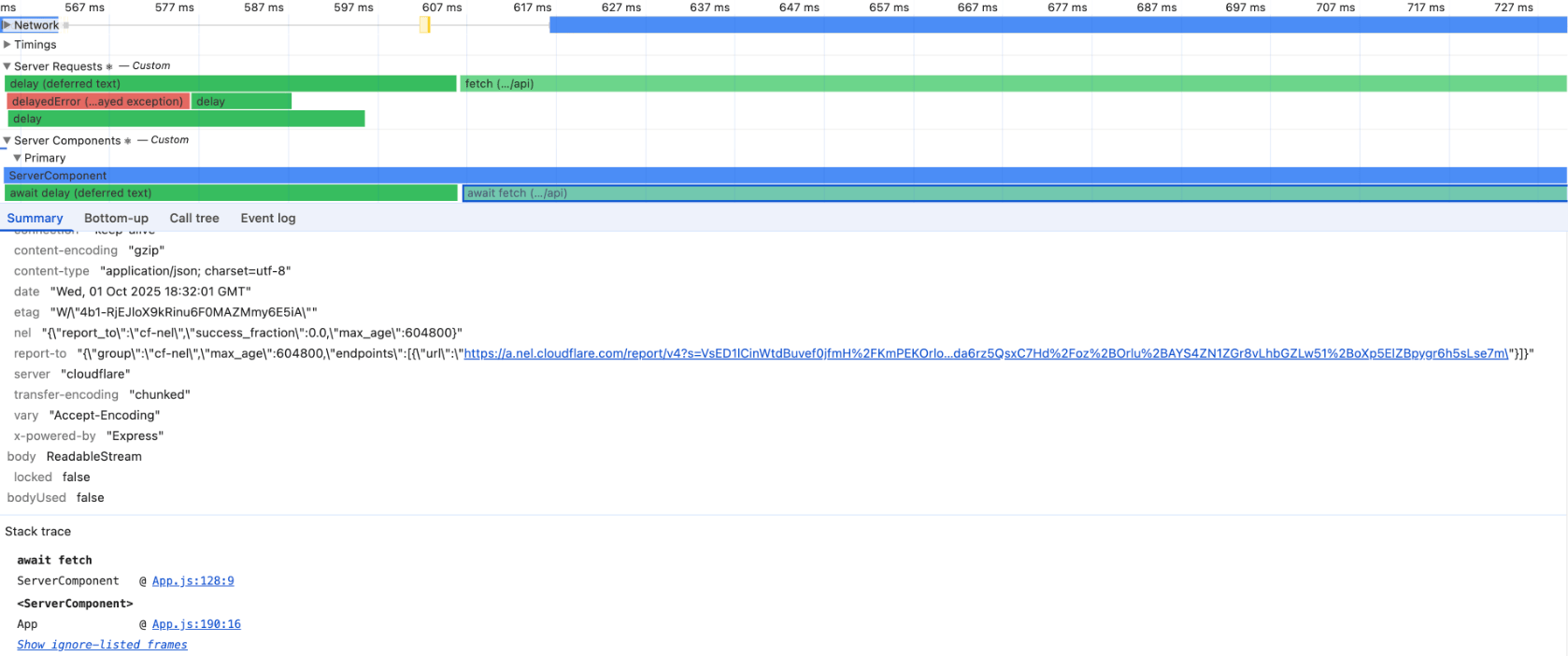
If you are using React Server Components, you must try the new profiling method as well. The additional Server Track panel shows calls and operations that happen during SSR in Node.js. This is essential because in hybrid applications today, part of the logic runs on the client and part on the server, and relying on intuition is no longer possible.
Conclusion
React is just a tool, and how well it serves depends solely on how well the developer knows it. Thanks to the new Performance Tracks, you can dive into the timeline and, perhaps with the help of the new Activity component, make your application lightning fast again!
Want more? Then check out the React Compiler, which was released in a stable version, or everything the React team presented at the conference in October.